


If you’re looking for a reliable laptop under ₹40,000 in 2026, you can still get solid performance for study, office work, and everyday multitasking—if you choose wisely. In this guide, we shortlist the 5 best laptops under ₹40,000 available in India right now, explain what to look for, and help you pick the right one for your needs.
Note: Prices fluctuate with sales (Amazon/Flipkart Freedom Sales, bank offers, etc.). Always check the latest deal before buying.
How to Choose a Laptop Under ₹40,000
Before jumping into models, know what matters most in this budget:
- Processor: Aim for at least an Intel Core i3 (12th/13th Gen) or AMD Ryzen 5 (5000/7000 series) for smooth daily use.
- RAM: 8GB is the practical minimum; 16GB is ideal if you multitask heavily or keep many browser tabs open.
- Storage: A 512GB SSD gives fast boot times and app loading; avoid HDD-only models in 2026.
- Display: Look for a 15.6-inch Full HD (1920×1080) panel; IPS is better for viewing angles.
- Build & Battery: Lightweight chassis and 6–8 hours of real-world battery make a big difference for students and commuters.
With these criteria, here are the top 5 laptops under ₹40,000 worth considering in August 2026.
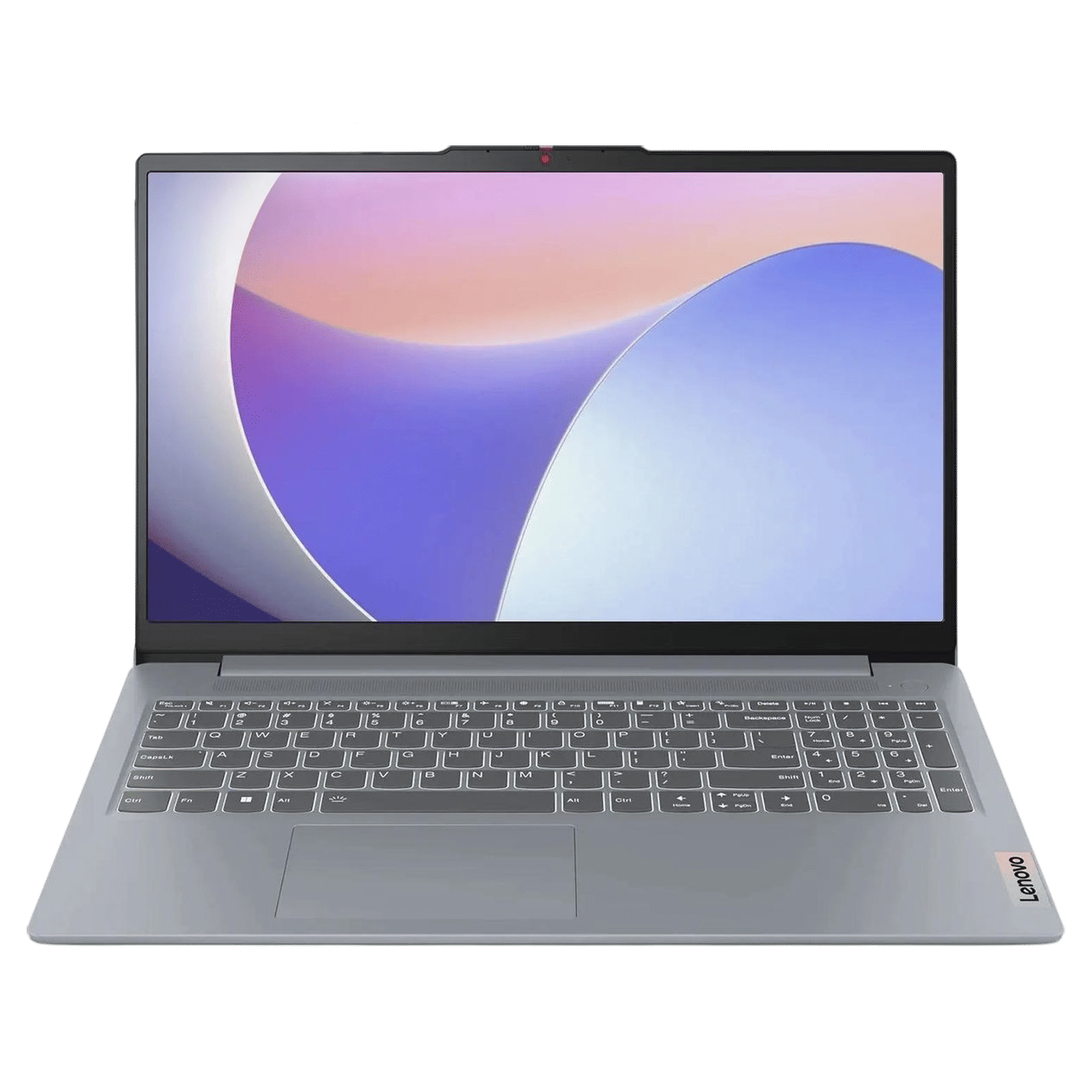
1. Lenovo IdeaPad Slim 3 (Ryzen 5 7520U) – Best Overall Value
A Lenovo IdeaPad Slim 3 laptop is shown open, displaying the Windows 11 start menu on its screen against a white background.
Why it leads the list: The IdeaPad Slim 3 with Ryzen 5 7520U consistently ranks as the best all-rounder under ₹40K for performance, battery life, and reliability.
Typical specs in this budget:
- Processor: AMD Ryzen 5 7520U
- RAM: 8GB (sometimes 16GB variants on sale)
- Storage: 512GB SSD
- Display: 15.6″ FHD IPS
- OS: Windows 11
Who should buy it:
Students, remote workers, and anyone who wants a balanced laptop for coding, Office/Google Workspace, video calls, and light photo editing.
Pros:
- Strong CPU performance for the price
- Good thermals and battery efficiency
- Trusted brand with wide service network
Cons:
- Display is decent but not premium (no OLED in this range)
- Some variants come with 8GB non-upgradeable RAM (check before buying)
2. ASUS VivoBook 15 (Intel Core i3 / Ryzen 5 variants) – Best Display & Build
The image shows an open ASUS VivoBook 15 laptop with a colorful gradient wallpaper on the screen displaying the text “ASUS VivoBook”.
Why it stands out: The VivoBook 15 offers a more polished design and often a sharper, brighter display than typical budget laptops. In the sub-₹40K segment, you’ll find configurations with Intel Core i3 (13th/14th Gen) or Ryzen 5 that fit the budget during sales.
Typical specs in this budget:
- Processor: Intel Core i3-1315U / i3-14th Gen or Ryzen 5
- RAM: 8–12GB
- Storage: 512GB SSD
- Display: 15.6″ FHD, often with slim bezels
- OS: Windows 11
Who should buy it:
Users who value a premium look, better screen quality, and a comfortable keyboard for long typing sessions—great for content writers, analysts, and hybrid workers.
Pros:
- Sleek, modern design
- Good screen and keyboard experience
- Reliable performance for daily tasks
Cons:
- Base RAM may be 8GB; check if it’s upgradeable
- Slightly higher price outside sales; wait for discounts
3. Acer Aspire 3 – Best Budget-Friendly Workhorse
Acer Aspire 3 laptop with its screen displaying the Windows 11 start menu over a colorful wallpaper.
Why it’s here: The Acer Aspire 3 is a no-nonsense laptop that delivers core performance at aggressive pricing, often dipping well below ₹40K while still offering SSD and FHD display.
Typical specs in this budget:
- Processor: Intel Core i3 (10th–12th Gen) or Ryzen 3/5
- RAM: 8GB
- Storage: 512GB SSD
- Display: 15.6″ FHD
- OS: Windows 11
Who should buy it:
Price-sensitive buyers—students, first-time laptop owners, or anyone who mainly uses browsers, Office apps, and streaming services.
Pros:
- Very affordable, frequent discounts
- Adequate performance for everyday use
- Easy to find online with good after-sales support
Cons:
- Build feels more basic compared to VivoBook/IdeaPad
- Speakers and webcam are average
4. HP 15 (Core i3-1315U / Core i3 100U) – Best Brand Trust & Service
Why consider HP 15: HP’s 15-series is widely available, often configured with 13th Gen Core i3 and 8–12GB RAM, making it a safe, service-friendly choice under ₹40K. youtube+1
Typical specs in this budget:
- Processor: Intel Core i3-1315U or Core 3 100U
- RAM: 8–12GB
- Storage: 512GB SSD
- Display: 15.6″ FHD (some HD panels—verify before purchase)
- OS: Windows 11
Who should buy it:
Users who prioritize brand reliability, easy service access, and a familiar design—especially good for office work, online classes, and general productivity. youtube+1
Pros:
- Strong service network across India
- Clean design, decent keyboard
- Often available with extra RAM (12GB) in this range
Cons:
- Some SKUs still ship with HD (1366×768) panels—ensure you get FHD
- Battery life varies by configuration
5. Dell Inspiron 15 (Core i3 / Ryzen 5 variants) – Best for Durability & Upgradability
A black Dell Inspiron 15 laptop shown from a side angle with the lid partially open, displaying the Dell logo on the lid and various ports on the side.
Why it makes the cut: Dell’s Inspiron 15 lineup offers sturdy builds and often better upgradability (RAM/SSD slots), which is great if you plan to extend the laptop’s life. In the under-₹40K band, look for Core i3 (12th/13th Gen) or Ryzen 5 models.
Typical specs in this budget:
- Processor: Intel Core i3-1215U / i3-1315U or Ryzen 5
- RAM: 8GB (often upgradeable)
- Storage: 512GB SSD
- Display: 15.6″ FHD
- OS: Windows 11 / 11 Pro (some business SKUs)
Who should buy it:
Users who want a durable daily driver with the option to upgrade RAM or storage later—ideal for students and professionals who keep laptops for 3–4 years.
Pros:
- Solid build quality
- Good port selection
- Often supports RAM/SSD upgrades
Cons:
- Design is functional, not flashy
- Prices can creep above ₹40K; watch for sales
Quick Comparison Table
| Laptop | Best For | Typical CPU | RAM | Storage | Display |
|---|---|---|---|---|---|
| Lenovo IdeaPad Slim 3 | Best overall value | Ryzen 5 7520U | 8–16GB | 512GB SSD | 15.6″ FHD IPS |
| ASUS VivoBook 15 | Best display & build | Core i3 / Ryzen 5 | 8–12GB | 512GB SSD | 15.6″ FHD |
| Acer Aspire 3 | Best budget workhorse | Core i3 / Ryzen 3–5 | 8GB | 512GB SSD | 15.6″ FHD |
| HP 15 | Best brand trust & service | Core i3-1315U / 100U | 8–12GB | 512GB SSD | 15.6″ FHD (verify) |
| Dell Inspiron 15 | Best durability & upgradability | Core i3 / Ryzen 5 | 8GB (upgradable) | 512GB SSD | 15.6″ FHD |
Prices and exact specs vary by seller and sale period.
Buying Tips to Stay Under ₹40,000
- Wait for sales: Amazon/Flipkart Freedom Sales and bank offers can drop prices by ₹2,000–₹5,000.
- Check RAM type: Prefer DDR4/DDR5 and confirm if it’s soldered or upgradeable.
- Avoid eMMC storage: Ensure it’s a proper SSD (NVMe/SATA), not slow eMMC.
- Verify display resolution: Many listings say “15.6-inch” but ship HD panels; confirm 1920×1080.
- Warranty & service: Check brand service centers in your city; Lenovo, HP, Dell, ASUS, and Acer all have wide networks.
Final Verdict: Which One Should You Buy?
- Best overall performance & balance: Lenovo IdeaPad Slim 3 (Ryzen 5 7520U)
- Best screen and premium feel: ASUS VivoBook 15
- Tightest budget, solid daily use: Acer Aspire 3
- Trusted brand with good service: HP 15 (Core i3)
- Durable, upgrade-friendly machine: Dell Inspiron 15
If you tell me your primary use (coding, design, office work, college, etc.), I can narrow this to a single “buy this exact configuration” recommendation.